Apr 4, 2024

Mastering Interaction Design and Prototyping: Your Essential Guide to Product Management

blog img

Introduction

For product managers, translating an idea into a successful product requires crafting a seamless user experience. This is where interaction design (IxD) and prototyping come in — the cornerstones of creating products that users love.Welcome to the exciting world of product management! Here, we blend creativity with understanding what users want to make amazing digital products. In this guide, we’ll cover two important skills: interaction design and prototyping. Whether you’re new to product management or a seasoned pro, these skills are key. We’ll start by explaining the basics and then dive into the tools you’ll need to succeed. Let’s get started on your journey to becoming a top-notch product manager!

Understanding Interaction Design

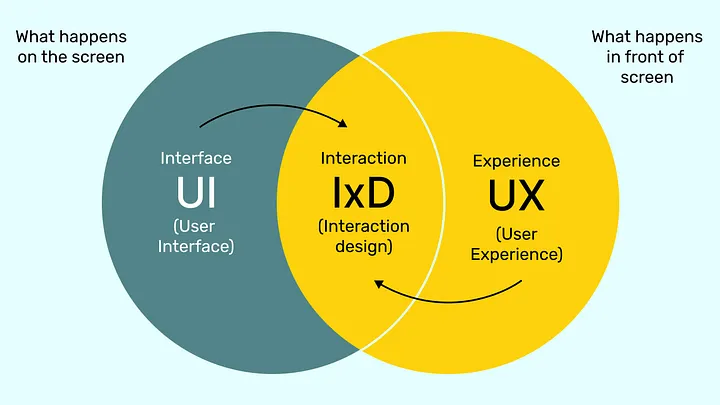
Interaction design is like being the architect of a digital space, where every button click, swipe, and tap is carefully crafted to make users’ lives easier. As a product manager, you’re not just building a product; you’re shaping an experience. Understanding how users think and behave is crucial here. By putting yourself in their shoes, you can design interfaces that feel natural and intuitive. This means considering things like where buttons should go, how menus should appear, and how users move through your app or website. Ultimately, mastering interaction design helps you create products that users enjoy using, which is essential for the success of any digital product.
blog img

The Core of IxD: User in the Center

Imagine your product as a conversation. IxD focuses on understanding the user’s side of that conversation. It considers:
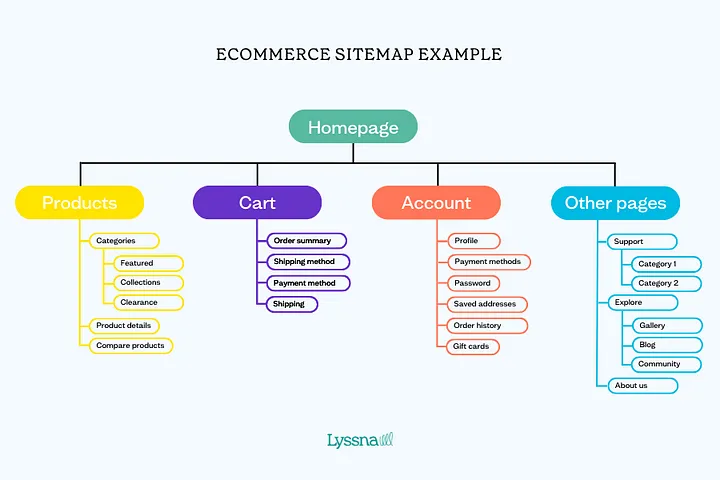
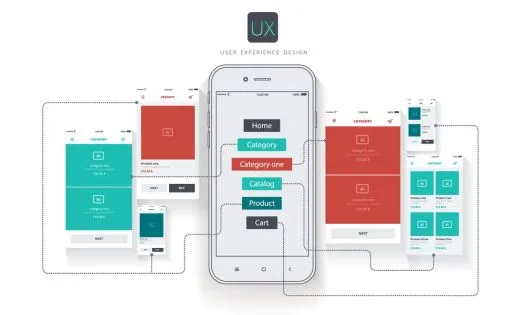
  • Information Architecture (IA): How users find and navigate the information within your product. Think of it as organizing your digital furniture for easy access.
blog img
  • User Interface (UI) Design: The visual layout and elements users interact with, like buttons, menus, and text. It’s the visual representation of the conversation.
blog img
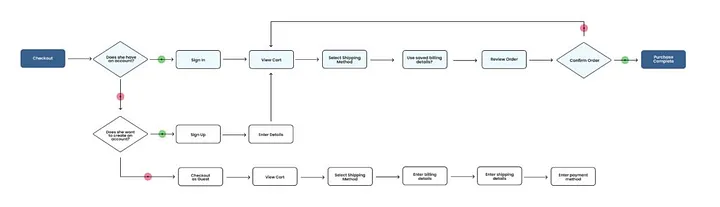
  • User Flows: The sequence of steps a user takes to complete a task. Imagine them walking through your digital house, completing a goal.
blog img
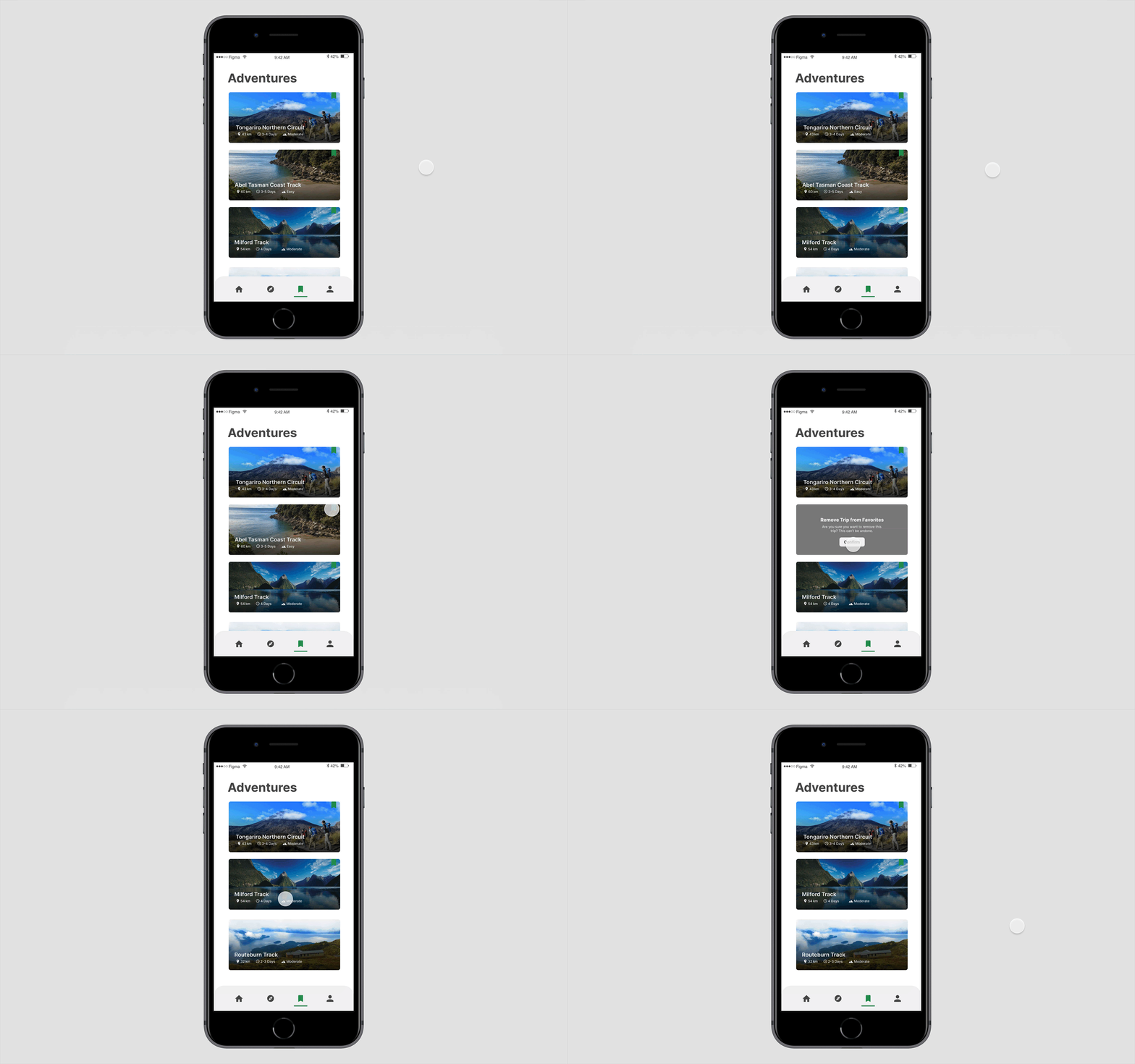
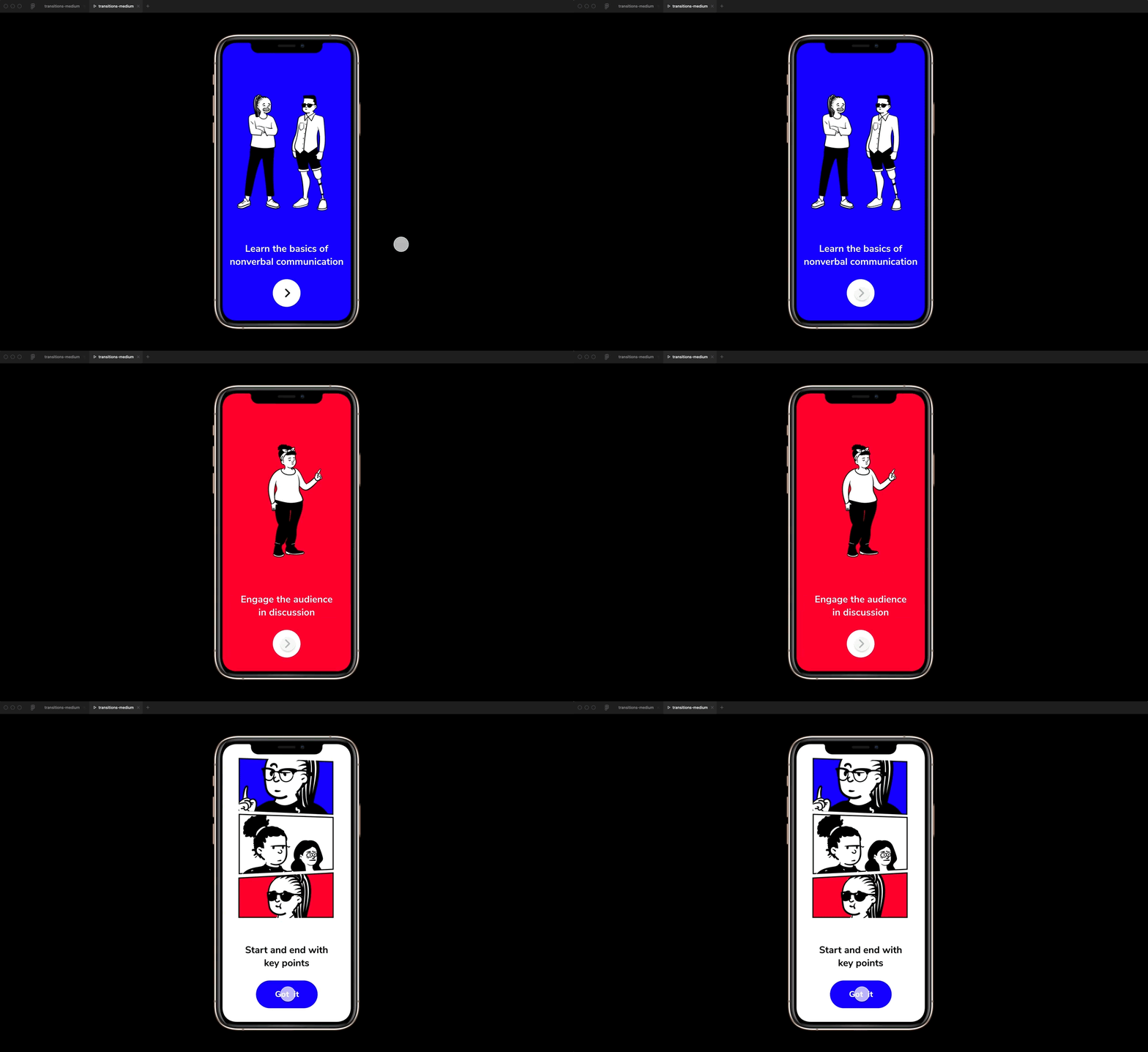
  • User Interaction: How users physically or digitally interact with the product, like tapping, swiping, or voice commands. It’s the way they “speak” to your product.
blog img

IxD in Action: Examples

  • User Interaction: How users physically or digitally interact with the product, like tapping, swiping, or voice commands. It’s the way they “speak” to your product.
  • A user-friendly online banking app that guides you seamlessly through the bill payment process.
  • An ATM with clear instructions and easy-to-understand buttons for withdrawals and deposits.

Resources for IxD

  • The Interaction Design Foundation (IxDF): https://www.interaction-design.org/ — A treasure trove of articles, courses, and resources on all things IxD.
  • A user-friendly online banking app that guides you seamlessly through the bill payment process.
  • Books: “Don’t Make Me Think” by Steve Krug, “Interaction Design: Beyond Human-Computer Interaction” by Jenny Preece et al.

Exploring Prototyping

blog img

Prototyping is like sketching out your product idea before building the real thing. It’s a way to see how everything will work together and get feedback from others before going all in. Prototypes can be simple drawings or more detailed designs that show how the product will look and function. By using prototyping tools, you can make these mockups quickly and easily, allowing you to test ideas and make improvements along the way. It’s a smart way to save time and money while making sure your product is on the right track.
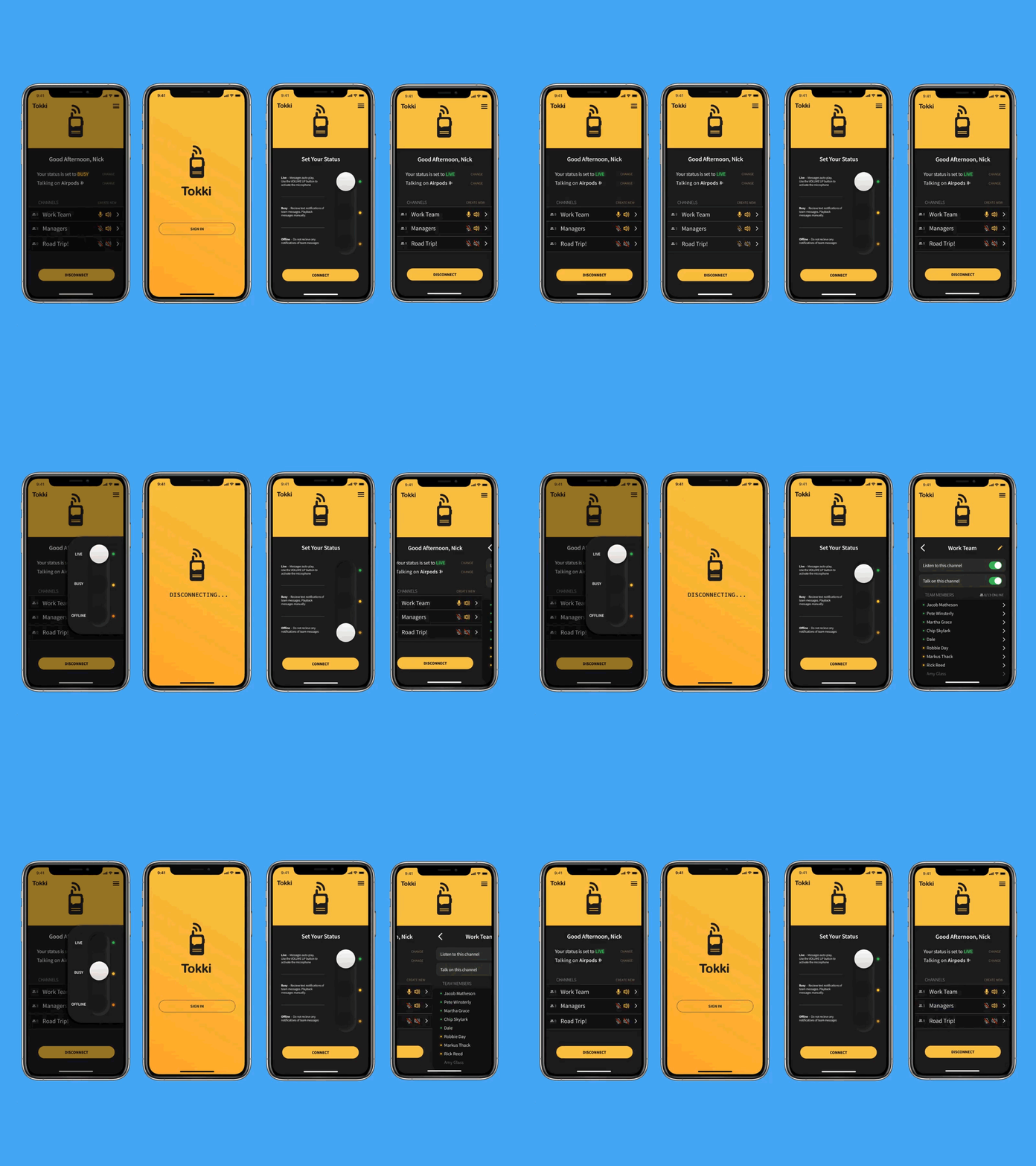
  • Early User Feedback: Get valuable insights from potential users early on. This allows you to identify potential usability issues and refine your concept before significant resources are invested in development.
  • Improved Communication: Prototypes serve as a powerful communication tool. They help stakeholders and team members visualize the product vision and understand its functionalities.
  • Cost-Effective Iteration: It’s much cheaper and faster to make changes to a prototype than to a fully developed product. This allows for a more iterative design process, leading to a more polished final product.
  • Reduced Risk of Failure: By identifying and addressing potential issues early on, prototypes can significantly reduce the risk of a product failing to meet user expectations.

Exploring Prototyping

blog img

The ideal prototyping tool depends on the stage of your product development and the level of detail you require. Here’s a breakdown of some popular options:

1. Low-fidelity Tools: Perfect for initial ideas and user flow testing.

  • Pen and paper: Simple and versatile for sketching layouts and user journeys.
  • Balsamiq Wireframes: Create basic wireframes to represent the core structure of your product.

2. Mid-fidelity Tools: Offer more interactivity and visual detail.

  • Figma: A powerful tool for creating clickable prototypes with a wide range of features.
  • Adobe XD: Offers advanced features for creating animations and user flows.

3. High-fidelity Tools: Provide the most realistic experience, often used for user testing and demonstrations.

  • ProtoPie: Specializes in creating complex, interactive prototypes with advanced functionalities.
  • InVision: Another robust platform for creating realistic prototypes with user testing capabilities.

From Concept to Prototype: A Hands-on Example

Let’s imagine you’re developing a mobile app for grocery shopping. Here’s how prototyping can be applied:

1. Low-fidelity Tools: Perfect for initial ideas and user flow testing.

  • Low-fidelity Sketch: Sketch out the main screens of your app — a product search screen, a shopping cart, and a checkout flow.
  • Mid-fidelity Prototype: Use a tool like Figma to create a clickable prototype where users can search for items, add them to their cart, and proceed to checkout.
  • User Testing: Gather a group of potential users to test your prototype. Observe their interactions, gather feedback, and identify any areas for improvement.
  • Iteration: Based on user feedback, refine your prototype by improving the design, user flow, and functionalities.

Conclusion

Great product ideas need a user-friendly design to succeed! This guide explores two key skills: Interaction Design (IxD) and Prototyping.IxD is like designing a user journey through your product. Imagine users walking through your app, completing tasks easily. It’s all about making things clear and intuitive.Prototyping lets you build a mock-up of your product, like a sketch or digital model. This helps you test your ideas with real people early on. Get their feedback and make improvements before you invest a lot of time and money.Think of it like trying on a new outfit before you buy it! With prototyping, you can see how your product looks and feels to users, and make sure it fits their needs. These skills will help you build products that people love to use!

Based in Surat, India

Let's Connect

Stay connected! Join for updates, offers, news, and interactive social content.

Email Me
© 2024, Muzeeburrahaman
All right reserved.